GPS Tracker – Phone Location
- 4.6
- Rating
- 1.00M
- Installs
- Free
- Price

 Analysis by App-foxy
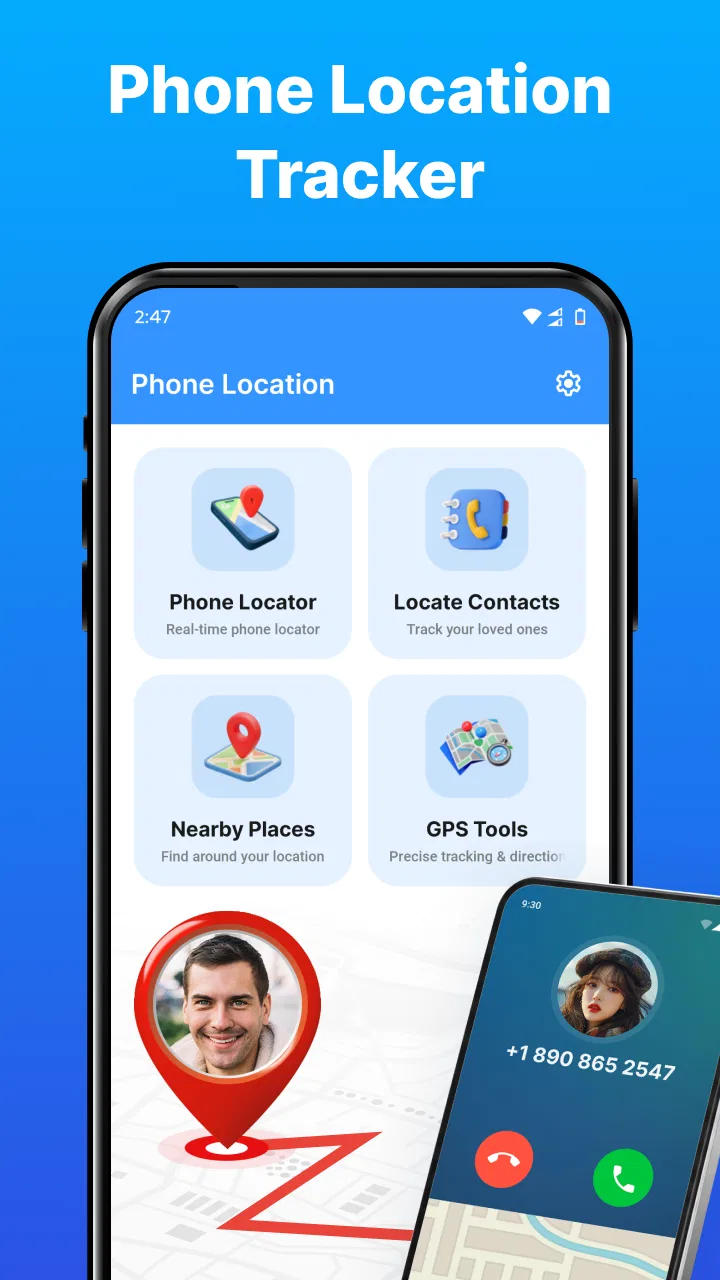
Phone Location Ltd.’s GPS Tracker is a free navigation app built around one clear idea: using a phone number as the starting point for location-related tools, while also bringing together maps, a compass, and a speedometer. I found that focus more useful for quick location checks and everyday orientation than for replacing a full-featured navigation suite.
The app is listed in the Maps & Navigation category, and its simple store label, “GPS Tracker,” tells you more about its purpose than its presentation. It is aimed at people who want location tools close at hand rather than a large travel platform filled with extra services. The combination feels practical: a map for context, a compass for direction, a speed display for movement, and phone-location tracking as the central attraction.
My main takeaway is that the phone-number location capability is most valuable as a quick starting point, not as a substitute for careful navigation or a dedicated family-safety service. That distinction matters. The app can be appealing when you want several basic tools in one place, but your expectations should match what a compact GPS utility is designed to do.
You May Also Like

 Blood Strike: 2.5 Anniversary
Blood Strike’s Loadouts Turn Every Drop Into a Tactical Gamble
A close look at Blood Strike’s custom loadouts: how fast access to signature weapons reshapes its battle royale rhythm, rewards preparation, and narrows the gap between fights.

 Pandora - Music & Podcasts
Pandora’s Music Is Easy to Start, but Harder to Recover
Pandora’s strength is its low-effort path from a seed to a station. Its weak spot is how much confidence it asks you to place in connection, setup, and quiet recovery.

 8 Ball Pool
 Is Built on Rivalries, Rematches, and Routine
A close look at the rivalries, rematches, shared routines, and unanswered safety questions that turn a quick pool match into a persistent mobile community.

 Samsung Music
’s Quiet Strength Is Playing What You Already Own
Its reach comes less from spectacle than from dependable access to a personal library. That simplicity is both the app’s strongest retention engine and its ceiling.

 AccuWeather: Weather Radar
AccuWeather Review: A Quick, Clear Forecast for Everyday Decisions
For everyday plans, the best forecast is the one you can understand quickly. AccuWeather makes rain timing, radar, and local conditions easy to act on, with a few trade-offs.

 Hill Climb Racing
Why Hill Climb Racing Still Turns Crashes Into One More Run
A tiny car, a bumpy hill and one more upgrade: Hill Climb Racing keeps resurfacing because its simple chaos makes every near-miss feel personal.
More From Our News Desk



Phone-number tracking is the feature that defines the experience
The standout capability is the attempt to track a phone’s location through its number. In practical terms, that makes the app feel different from a conventional map application, where you usually begin with a destination, an address, or your own current position. Here, the phone number becomes the key piece of information in the workflow.
That approach can be convenient when the person or device you are trying to locate is already identified by a number. It reduces the need to search through a map manually and gives the app a more direct, people-oriented purpose. For a user checking where a family member’s phone might be, that is a more natural starting point than entering a street name.
At the same time, I would not treat phone-number tracking as magic. A phone number by itself is not the same thing as a live, precise GPS position in every situation. Location depends on the phone, its connection, and the way the service is allowed to work. That is why I see this feature as a convenience layer around location information, not a guarantee of perfect real-time accuracy.
This is also where responsible use matters. Tracking someone else’s phone should be based on their knowledge and permission. The app’s usefulness is strongest for your own devices, family coordination, or situations where everyone involved understands the arrangement. It is not an appropriate tool for secretly monitoring another person.
Compared with a standard map app, the difference is clear. A regular maps service is usually better when your question is “How do I get there?” GPS Tracker is more interesting when the question is “Where is this phone, and how can I quickly understand its position?” That makes it a narrower tool, but also a more focused one for that particular need.
What the surrounding tools add
The maps feature gives the location information a visual frame. A position is easier to understand when you can see nearby roads and landmarks instead of looking at an isolated coordinate or a vague text result. I found this especially helpful for deciding whether a reported location makes sense in relation to a meeting point.
The compass has a different role. It is useful when you are standing still and trying to establish direction, or when you are moving through an unfamiliar area without wanting to keep switching between map views. It does not replace route guidance, but it can answer a smaller question quickly: which way am I facing?
The speedometer is similarly practical rather than ambitious. It gives the app another reason to stay open while traveling. I would use it as a quick reference, not as a precision instrument for decisions where exact speed is critical. That small distinction prevents the feature from being overinterpreted.
These tools work best as a group because they cover different moments in the same outing. The map helps with place, the compass helps with direction, and the speedometer helps with movement. The phone-location function connects them to a person or device rather than leaving them as isolated utilities.
How I would use it in everyday situations
A realistic example is a family meeting at a busy outdoor venue. One person is waiting near an entrance, another is walking from a parking area, and a third is unsure which side of the venue they are approaching from. Instead of sending several vague messages, the group can use the location-focused workflow to establish where the relevant phone is, then use the map and compass to make the final approach easier.
The useful part is not simply seeing a point on a screen. The real benefit is reducing confusion between people who are nearby but cannot describe their surroundings well. A map can show the relationship between the phone and the meeting place, while the compass can help someone choose the correct direction for the last part of the walk.
There is a practical tip here: agree on a meeting landmark before relying on location information. A map position may place someone in the right general area, but a visible entrance, café, gate, or parking section is easier for everyone to recognize. GPS Tracker is more effective when its location tools support a clear plan rather than trying to replace one.
Another useful scenario is checking your own phone or a spare device during travel. If you have misplaced a device or want to understand its position in relation to your route, a phone-number-centered tool can feel more direct than opening a full navigation app and searching through several menus. I would still keep your usual recovery and account-security options available, but the focused workflow may save time at the first step.
For walking in an unfamiliar neighborhood, I would use the app in stages. First, I would look at the map to understand the surrounding streets. Then I would use the compass to orient myself before setting off. If I were moving by vehicle or bicycle, I would treat the speedometer as an extra reference while keeping attention on the road. This staged approach is less distracting than trying to watch every tool at once.
A less obvious advantage is that the app can serve as a compact orientation kit. Many people install separate tools for maps, direction, and speed, then switch between them. Keeping these functions together can make short trips feel less cluttered. The trade-off is that a compact tool may not offer the depth of an app designed around only one of those jobs.
What happens when the situation is less ideal
Location features are naturally less reassuring when the phone is indoors, moving through areas with weak connectivity, or positioned where map context is difficult to interpret. In those situations, I would avoid treating a displayed location as an exact doorstep. A nearby road or recognizable landmark is a better basis for a decision than a single point viewed without context.
The same caution applies to the compass. Compass readings can be affected by the phone’s surroundings, especially near metal objects or electronic equipment. If the direction seems inconsistent, I would recalibrate or move away from the source of interference before relying on it. That is not a flaw unique to this app, but it is an important part of using the feature sensibly.
The speedometer also deserves a realistic role. It is handy for awareness, but I would not use it to justify unsafe driving or to replace the vehicle’s own instruments. The safest workflow is to check it only when doing so does not distract you, ideally before moving or through a passenger.
These limitations do not make the app pointless. They simply show why it works better as a supporting utility than as the only tool in a complicated journey. For turn-by-turn directions, traffic-aware route planning, transit details, or extensive offline preparation, a mature navigation platform will usually be the stronger choice.
Trade-offs before you make it part of your routine
The first trade-off is simplicity versus depth. GPS Tracker brings several location-related functions together, which is convenient when you want a quick answer. However, users who expect advanced route planning, detailed travel information, or the broad ecosystem of a major mapping service may find the experience more limited.
The second trade-off concerns the central phone-number workflow. It is appealing because it starts from something most people already know, but it can also create unrealistic expectations about what a number can reveal. I would use it with a clear understanding that location is a technical process, not merely a lookup. The best results come when the relevant device and person are part of an agreed location-sharing situation.
Privacy is another practical consideration. Before using any location tool, I recommend checking which phone is being tracked, who can see the result, and whether the arrangement is understood by everyone involved. Even when an app is free and easy to open, location information is sensitive. Convenience should not remove basic consent and care.
The app is free, which makes trying it low-risk from a purchase perspective. That is useful for someone who is unsure whether a combined map, compass, speedometer, and phone-location tool fits their routine. Still, “free” does not automatically mean it will outperform specialized alternatives. I would test it during a normal, low-pressure outing before depending on it for an urgent situation.
Phone Location Ltd. presents the app as an accessible utility, and its broad audience is reflected in an Everyone content rating. It runs on Android versions from 8.0 onward, so it can suit people using older compatible phones as well as newer devices. The current release is version 1.0.4, which I would approach as a focused tool whose experience may feel more streamlined than the mature, feature-heavy apps many users already know.
The app has attracted an average rating of 4.9 from 424 ratings and has passed one million installs. Those figures suggest strong interest and a positive reception, but I would still judge it against your specific need. A high rating cannot change the fact that a person seeking detailed navigation may want a different type of product.
When another app is the better choice
I would choose a conventional navigation app for a long drive, a route with several stops, or any trip where traffic and turn-by-turn instructions are central. Those services are generally built around journey planning, while GPS Tracker is organized around location awareness and a small collection of travel instruments.
I would also look elsewhere if my priority were a formal family-safety system with extensive account management, alerts, history, or structured group controls. GPS Tracker may be useful for location-focused coordination, but someone who needs a full household monitoring setup should compare dedicated services carefully instead of assuming that a phone-number tool covers every requirement.
On the other hand, I would not replace it with a large mapping app merely to check direction or get a quick sense of where a phone is. Opening a heavyweight platform for a small task can add unnecessary steps. The compact approach is the reason to keep this app available, especially if you prefer one straightforward utility over several separate downloads.
Who gets the most value from this GPS utility
This app suits people who want a simple location toolkit for everyday coordination. Families arranging meetups, travelers orienting themselves in unfamiliar places, and users who like having a compass and speed display beside a map can all find a practical role for it. It is particularly appealing if phone-number-based location is more relevant to you than route optimization.
It can also help users who dislike app switching. Instead of opening one app for a map, another for direction, and another for speed, you can begin with a single location-focused utility. The benefit is modest but real: fewer interruptions while you are trying to understand where you are or where another phone may be.
I would skip it if I needed professional-grade navigation, guaranteed precision, or a complete tracking platform with a broad set of safety controls. I would also avoid making it the sole plan for finding someone in an emergency. In urgent situations, direct communication and appropriate emergency services are more important than experimenting with a general-purpose location app.
My advice is to set it up before you need it. Try the map and compass in a familiar area, see how the phone-location workflow fits your own devices and agreed contacts, and learn where the speedometer is displayed before using it on the move. That small preparation makes the app much more useful than installing it during a stressful moment.
After using it as a focused navigation companion, I see GPS Tracker as a sensible choice for people who value convenience over a long list of advanced features. Its strongest idea is the phone-number-centered location workflow, supported by maps, a compass, and a speedometer that make the result easier to interpret in real life. It does not need to replace every navigation app to be worthwhile.
For me, the deciding question is simple: do you want a compact way to connect phone location with basic orientation tools? If yes, the free app from Phone Location Ltd. is worth trying, especially for family meetups, personal device checks, and short trips. If your needs revolve around detailed routes, traffic, or comprehensive family monitoring, a specialized alternative will be a better fit. Used within those boundaries, GPS Tracker is a practical, focused addition to an Android phone.
FAQs for GPS Tracker – Phone Location
01What features does the GPS Tracker – Phone Location app offer?
The GPS Tracker – Phone Location app provides real-time tracking, location history, and customizable alerts. Users can view the location of their device or connected devices on a detailed map and set up geofences to receive notifications when a device enters or leaves a designated area. It also supports family sharing for multiple devices.
02Is GPS Tracker – Phone Location compatible with both Android and iOS devices?
Yes, the GPS Tracker – Phone Location app is designed to work seamlessly on both Android and iOS platforms. Users can easily download and install the app from the Google Play Store for Android devices and the App Store for iOS devices, ensuring cross-platform compatibility and synchronization.
03How secure is my data when using the GPS Tracker – Phone Location app?
The app employs robust encryption protocols to ensure user data is stored and transmitted securely. Location data is only accessible to authorized users, and the app complies with privacy regulations, providing peace of mind for users concerned about their personal information and location privacy.
04Does the GPS Tracker – Phone Location app drain battery life significantly?
While continuous GPS usage can impact battery life, the app is optimized to minimize battery consumption. It offers settings to adjust update frequency and location accuracy, allowing users to balance between performance and battery efficiency based on their needs and preferences.
05Are there any subscription fees or in-app purchases in GPS Tracker – Phone Location?
The app may offer a basic version for free, but additional features like advanced tracking options, ad removal, and enhanced security settings might require a subscription. Users should review the app's pricing details within the app store or the app itself to understand any associated costs.
Pros
- Intuitive user interface for easy navigation.
- Real-time location updates are accurate.
- Battery usage is optimized for longer tracking.
- Supports multiple devices for family tracking.
- Customizable alerts for specific locations.
Cons
- Some features require a premium subscription.
- Occasional delays in location updates.
- Limited offline functionality.
- Initial setup can be a bit complex.
- Requires constant internet connection.

GPS Tracker – Phone Location
Gallery